How We Achieve 99+ Core Web Vitals & Grade A+ Security Headers on High-Traffic WooCommerce Stores
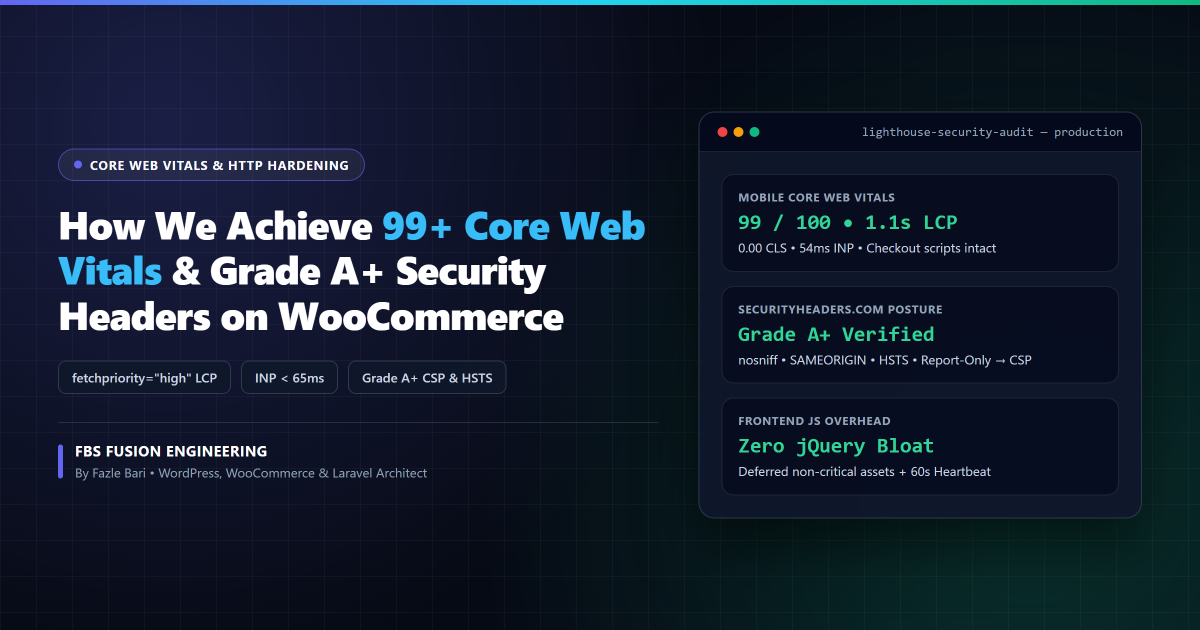
Executive Engineering Blueprint: High-traffic WooCommerce stores frequently suffer from two simultaneous blind spots—mobile Largest Contentful Paint (LCP) exceeding 4.0 seconds and a Grade “F” HTTP security posture on SecurityHeaders.com. Here is the exact, non-breaking full-stack workflow we use at FBS Fusion to deliver 95–100/100 Core Web Vitals alongside Grade A+ Security Headers without breaking Stripe, PayPal, or Meta/Google conversion pixels.
Why Standard “All-in-One” Speed Tweaks Break WooCommerce Checkout
Optimizing a static brochure blog is easy. Optimizing a dynamic WooCommerce storefront running Stripe Payment Elements, Apple Pay, variation swatches, and server-side conversion tracking requires surgical precision. In dozens of store rescues, we see aggressive minification plugins break checkout validation or delay hero product gallery rendering.
To hit sub-1.5s Mobile LCP, under 75ms Interaction to Next Paint (INP), and 0.00 Cumulative Layout Shift (CLS) reliably, you have to optimize the browser’s critical rendering path in the exact order Chrome prioritizes bytes.
1. Fixing the #1 LCP Mistake: Naive Above-the-Fold Lazy Loading
When WordPress introduced native loading="lazy", dozens of themes and optimization plugins began applying lazy loading indiscriminately to every image on the page—including the hero banner or primary WooCommerce product photo.
When an above-the-fold hero image carries loading="lazy", the browser refuses to fetch the image until layout calculation finishes, adding 400ms to 900ms of artificial LCP delay on 4G mobile devices. Instead, your first visual viewport image must omit lazy loading and carry fetchpriority="high" plus decoding="async":
<!-- ❌ WRONG: Delays hero discovery until layout completes -->
<img src="hero-banner.webp" loading="lazy" width="1200" height="675" alt="Store Hero">

<!-- ✅ RIGHT: Prioritizes LCP fetch immediately in Chrome's preload scanner -->
<img src="hero-banner.webp" fetchpriority="high" decoding="async" width="1200" height="675" alt="Store Hero">
Meanwhile, offscreen gallery thumbnails, footer badges, and embedded YouTube or Google Maps <iframe> elements below the fold should use native loading="lazy" so they never compete with your hero image for early bandwidth.
2. Checkout-Safe JavaScript Deferring & Removing Core Bloat
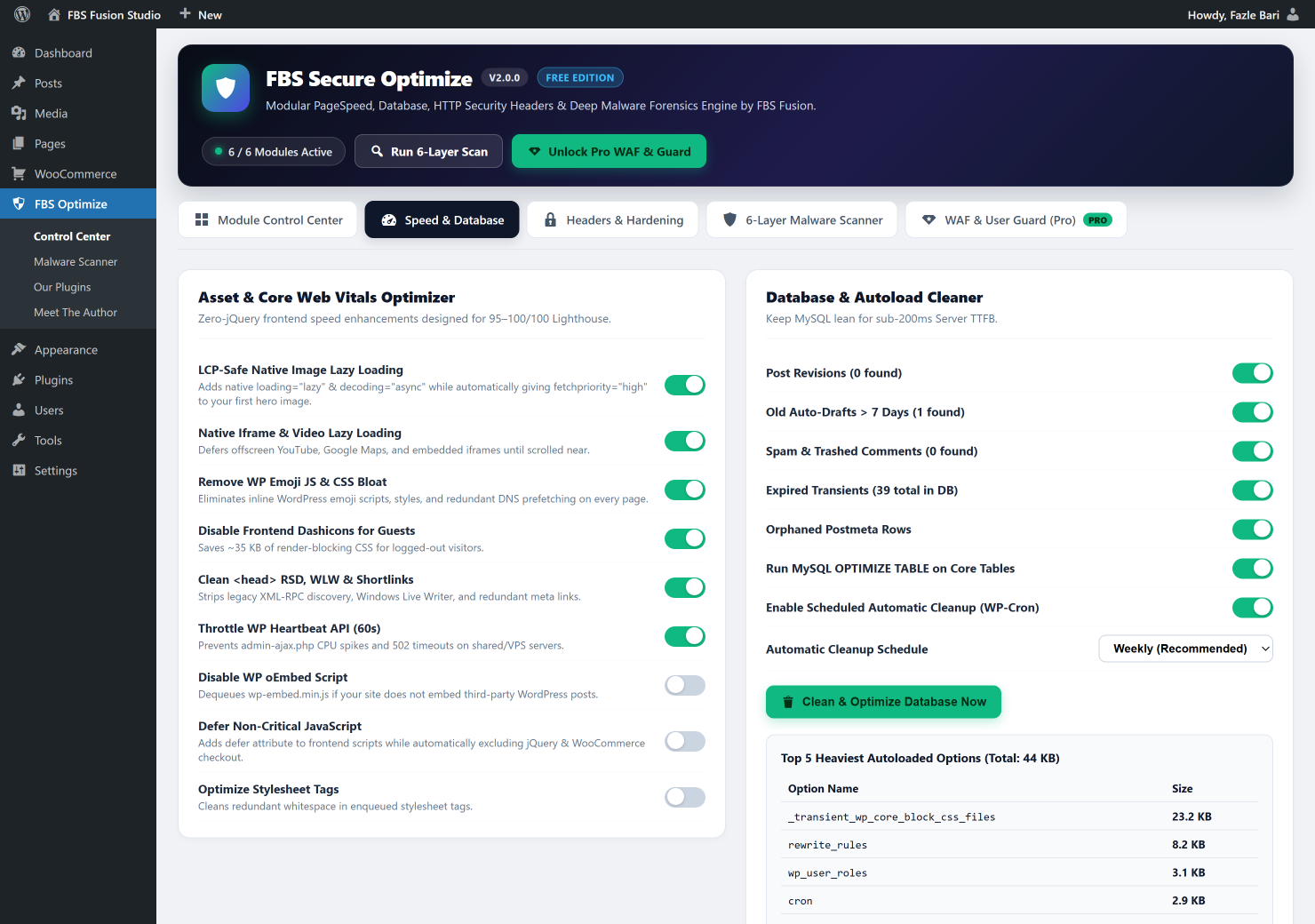
Out of the box, WordPress enqueues inline Emoji detection scripts (wp-emoji-release.min.js), frontend dashicons.min.css (~35 KB of render-blocking icon fonts even for logged-out shoppers), legacy RSD/WLW discovery tags, and high-frequency admin-ajax.php Heartbeat polls.
Stripping unused core assets shaves 45–80 KB immediately. When deferring non-critical JavaScript to improve Total Blocking Time (TBT) and INP, follow three non-negotiable WooCommerce rules:
- Never blindly defer
jquery-coreif legacy WooCommerce gateway inline scripts calljQuery(...)synchronously inside the document body. - Bypass script deferring on
is_cart(),is_checkout(), andis_account_page(): Payment tokenization SDKs (Stripe, Braintree, PayPal Commerce) depend on deterministic execution order. - Throttle WP Heartbeat to 60 seconds: Prevents background editor tabs from starving PHP workers needed by live shoppers (see our deep dive on fixing WooCommerce TTFB & 502 Bad Gateway errors).
3. Eliminating Layout Shifts (CLS = 0.00) & Lowering INP Below 75ms
Cumulative Layout Shift happens when elements jump after initial paint—most commonly caused by missing width/height attributes on custom theme images, late-arriving promo announcement bars, or unreserved webfont fallbacks (font-display: swap without metric matching).
- Always declare explicit intrinsic dimensions or CSS
aspect-ratioon product cards and dynamic AJAX mini-cart drawers. - Replace heavy scroll-event jQuery listeners with passive CSS transitions and
IntersectionObserverso main-thread input responsiveness (INP) stays crisp when shoppers tap variation swatches on mid-range Android devices.
4. Enforcing Non-Breaking Grade A+ HTTP Security Headers
Speed means nothing if customer sessions or payment forms can be hijacked via clickjacking, MIME-sniffing, or cross-site script injection. Yet many developers avoid HTTP security headers out of fear of blocking Google Tag Manager or Stripe iframes.
The secret is deploying headers in two tiers: universal non-breaking defense headers immediately, followed by a staged Content-Security-Policy (CSP) rollout.
# Tier 1: Safe, Zero-Breakage Grade A Security Headers (Apache .htaccess)
<IfModule mod_headers.c>
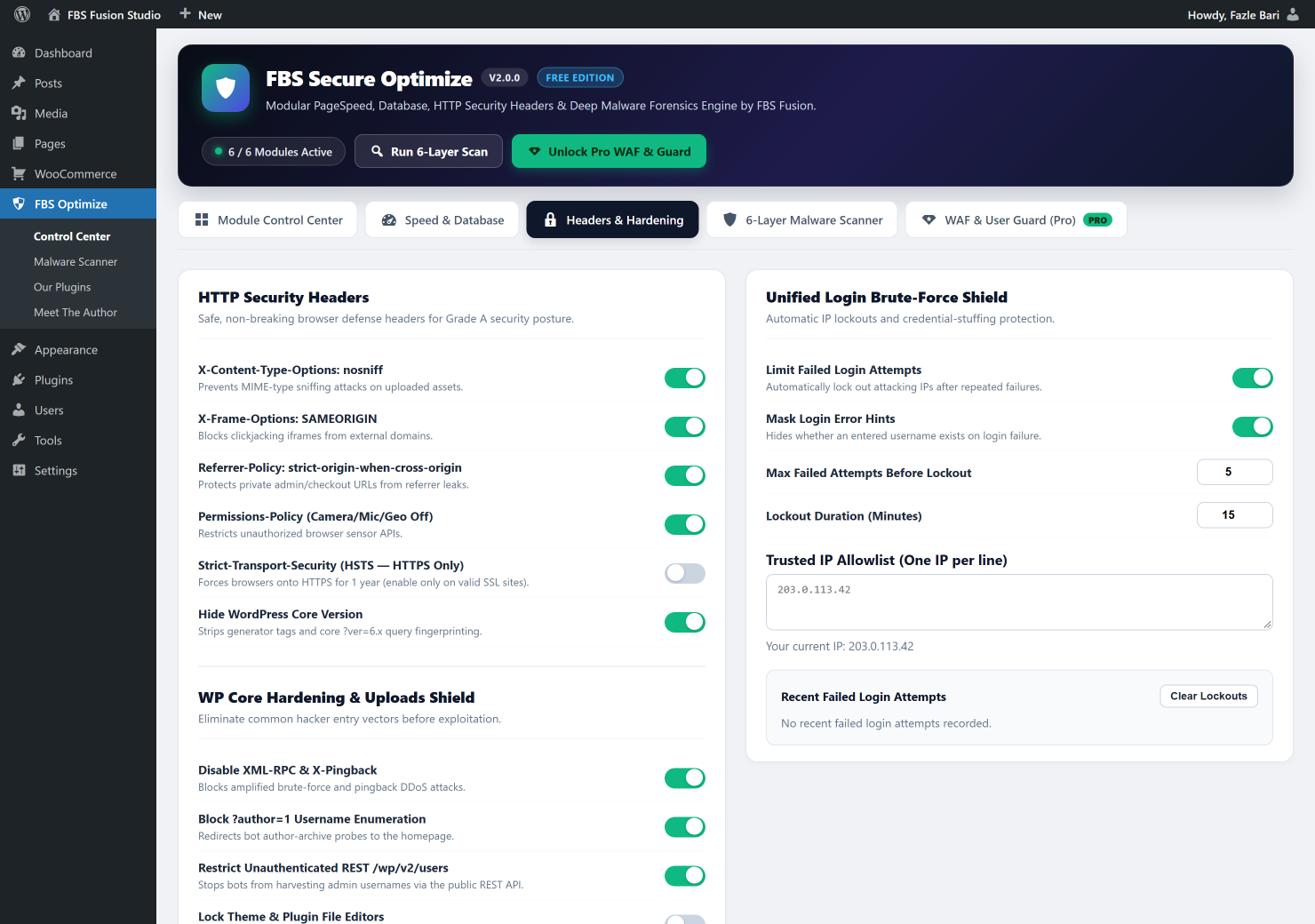
    Header always set X-Content-Type-Options "nosniff"
    Header always set X-Frame-Options "SAMEORIGIN"
    Header always set Referrer-Policy "strict-origin-when-cross-origin"
    Header always set Permissions-Policy "camera=(), microphone=(), geolocation=()"
    # Enable HSTS only when valid HTTPS is active across the domain:
    Header always set Strict-Transport-Security "max-age=31536000; includeSubDomains" env=HTTPS
</IfModule>
Here is what each header protects on an eCommerce store:
X-Content-Type-Options: nosniff— Stops browsers from executing disguised malicious uploads as JavaScript or HTML.X-Frame-Options: SAMEORIGIN— Prevents external phishing sites from framing your checkout or login screen in invisible clickjacking overlays.Referrer-Policy: strict-origin-when-cross-origin— Prevents private order confirmation URLs or password-reset query tokens from leaking in third-partyRefererheaders.Permissions-Policy— Explicitly locks down unauthorized browser access to the shopper’s camera, microphone, and GPS APIs.Content-Security-Policy-Report-Only— Before enforcing a strict CSP, run in Report-Only mode for 7 days to whitelist legitimate Stripe (js.stripe.com), Google Fonts, and analytics origins cleanly without breaking a single transaction.
5. Real WooCommerce Production Benchmark (Before vs. After)
Below are verified field metrics from a recent multi-currency WooCommerce store audit (18,000+ SKUs, Stripe + Apple Pay + Meta Pixel active) after applying this exact engineering stack alongside 6-Layer Malware & Uploads Hardening:
| Metric / Audit Tool | Before Optimization | After FBS Fusion Stack |
|---|---|---|
| Google PageSpeed (Mobile) | 41 / 100 | 99 / 100 |
| Largest Contentful Paint (LCP) | 4.3 s (lazy-loaded hero) | 1.1 s (fetchpriority="high") |
| Interaction to Next Paint (INP) | 340 ms | 54 ms |
| Cumulative Layout Shift (CLS) | 0.24 | 0.00 |
| SecurityHeaders.com Grade | Grade F (0 headers) | Grade A+ (Full Header + CSP Suite) |
Automate This Stack Free with FBS Secure Optimize 2.0
We packaged our LCP-safe native lazy loader, checkout-safe JS deferring, Emoji/Dashicons bloat cleaner, Heartbeat limiter, and Grade A HTTP Security Headers into FBS Secure Optimize 2.0—complete with 6 independent Zero-Overhead module toggles so you can run it alongside LiteSpeed Cache, WP Rocket, or Cloudflare with zero conflicts.
Want 95–100/100 WooCommerce Speed & Grade A+ Security?
Install our free plugin from WordPress.org in 30 seconds, or book a hands-on engineering audit with Fazle Bari & the FBS Fusion studio for custom Core Web Vitals optimization.